 NV.gov

Clear and Descriptive Page Titles
Web Content Accessibility Guidelines (WCAG) 2.0 and later versions emphasize the importance of providing clear and descriptive page titles to enhance accessibility. The page title serves as a brief summary of the content or purpose of the page, providing valuable information to users, especially those using screen readers or other assistive technologies.Describing Page Content or Purpose
The page title should effectively convey the main content or purpose of the page. This is crucial for users who may navigate through pages using screen readers or other assistive technologies, as well as for those who rely on browser tabs or bookmarks. A descriptive page title helps users understand the content of the page. If the title is misleading or too generic, it can make it harder for visitors to find the information they need.
Conciseness
While the title should be descriptive, it's generally recommended to keep it concise. A few words that capture the essence of the page's content are often sufficient. This helps users quickly understand the nature of the page.
Similarity to First Level Heading
In many cases, the page title and the first-level heading on the page are made similar or identical. This consistency helps users establish a logical and coherent hierarchy of information. It's good practice to maintain alignment between the page title and the first-level heading for clarity and user understanding.
Standards and Best Practices
Creating Page Titles in Optimizely
- In the Optimizely editor window, click on the page you want to add the title to.
- Make sure you are in All-properties view
- Click the Metada Tab
- Enter a descriptive title in the SEO Title field.
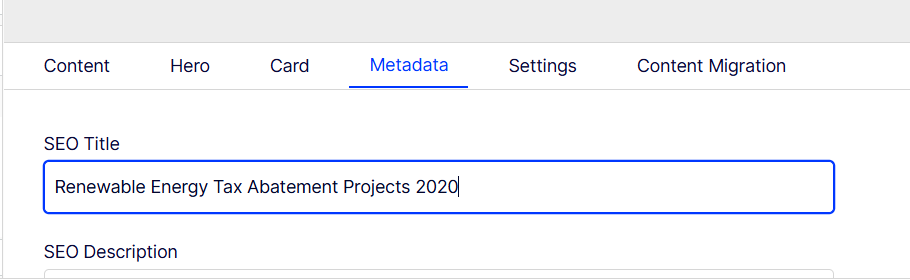
Note: In Optimizely, the "Name" field is used in navigation, and the level 1 heading of the page is set by going to the Hero tab and entering a Page Title. This page title within the Hero content area serves a distinct purpose from the "SEO Title" used in metadata. While both involve the concept of a title, they serve different functions within the Optimizely platform. For ADA Purposes, the page title refers to the SEO Title in Optimizely.